Moza ES Steering Wheel
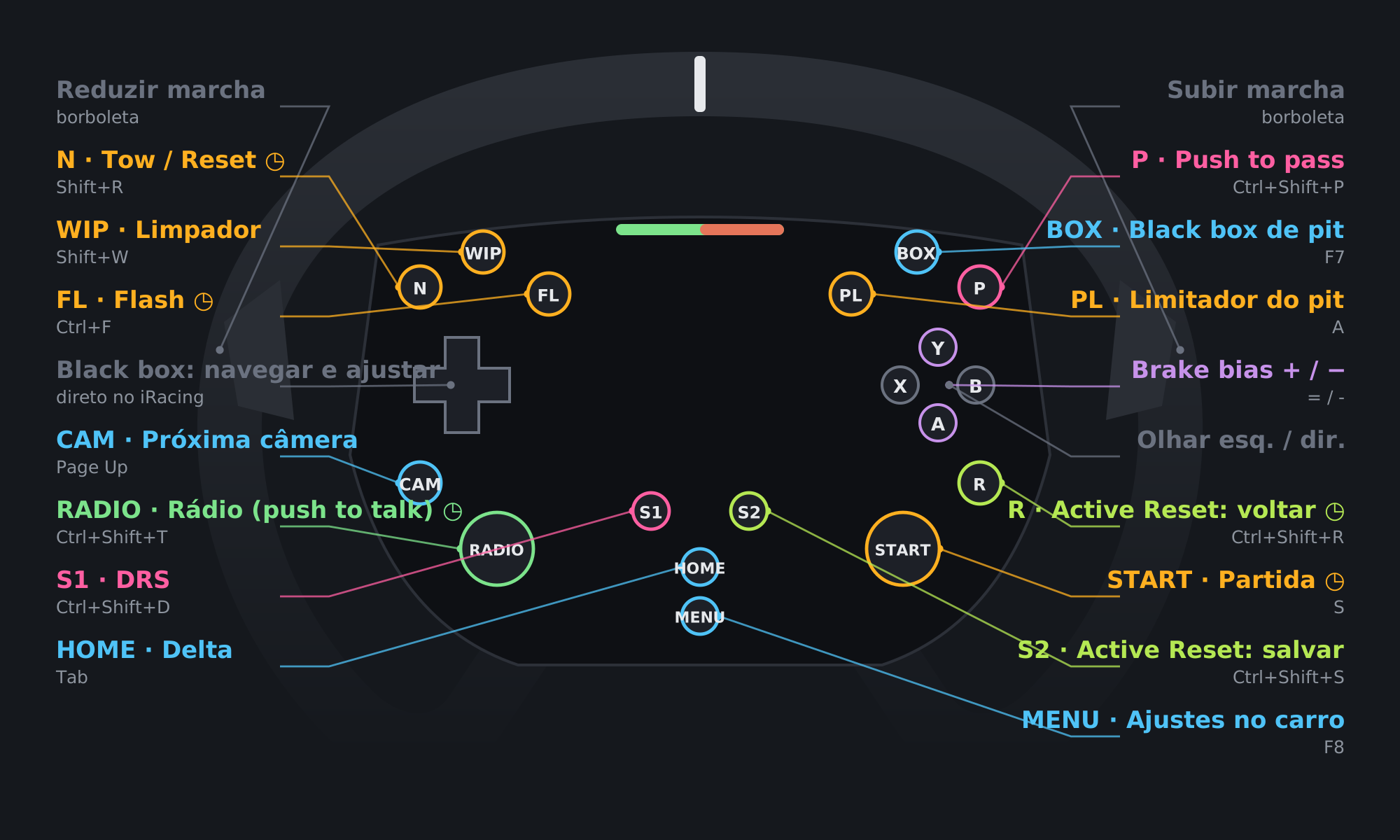
All 16 wheel buttons mapped for iRacing: pit limiter, flash, tear-off, black boxes, adjustments and radio.
Ready-made profiles, icons and settings to build your sim racing setup. All free.
All 16 wheel buttons mapped for iRacing: pit limiter, flash, tear-off, black boxes, adjustments and radio.
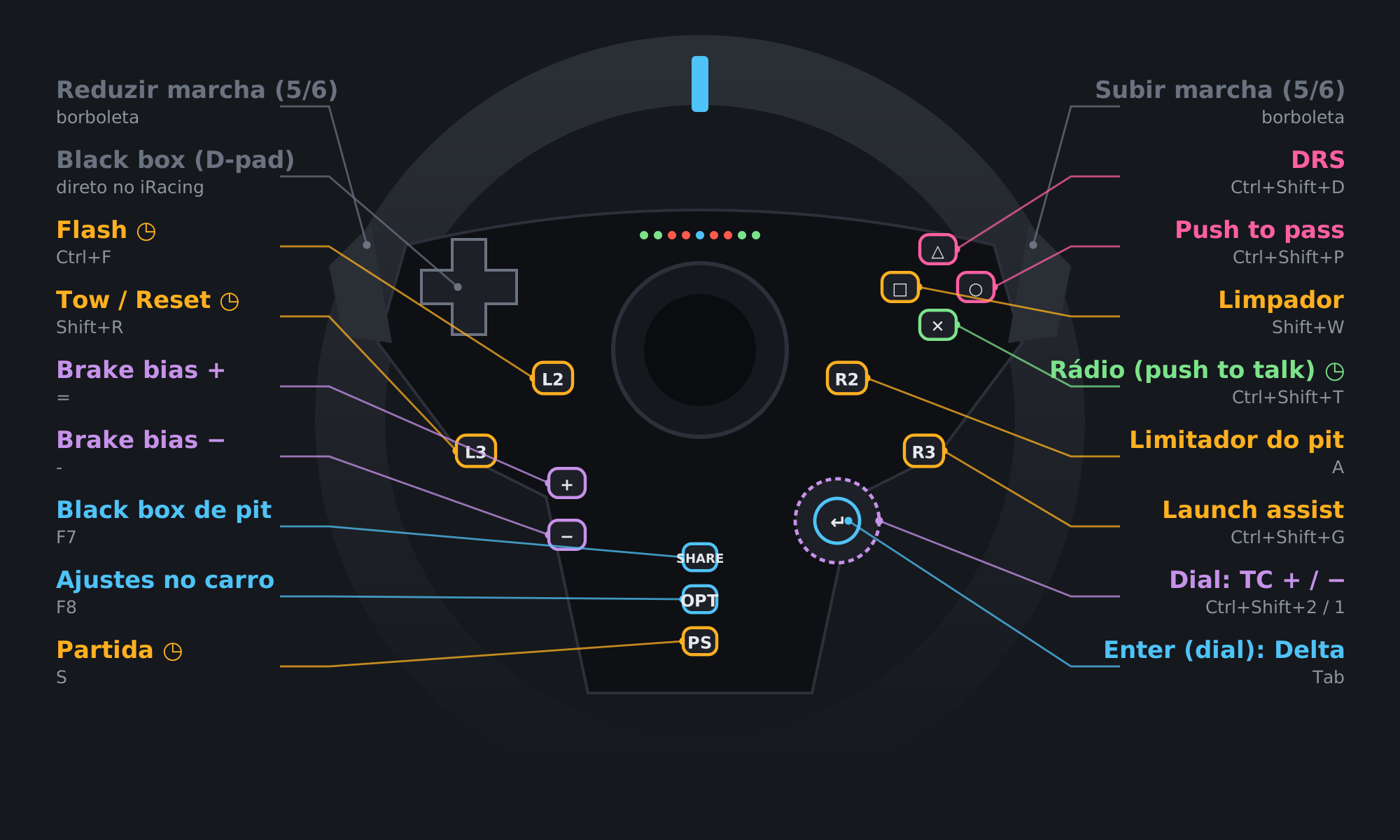
All 16 wheel buttons mapped for iRacing: flash, pit limiter, launch assist, DRS, push to pass, brake bias, TC on the dial, black boxes and radio.
Profile in testing
Built without the wheel in hand. Check the buttons before using it.
Built without the wheel in hand, from the button numbering of Logitech wheels (G29 and G920). It may need adjustments on your wheel.
Before using it:
All 16 wheel buttons mapped for iRacing: flash, pit limiter, launch assist, DRS, push to pass, brake bias, TC on the dial, black boxes and radio.
Profile in testing
Built without the wheel in hand. Check the buttons before using it.
Built without the wheel in hand, from the button numbering of Logitech wheels (G29 and G920). It may need adjustments on your wheel.
Before using it:
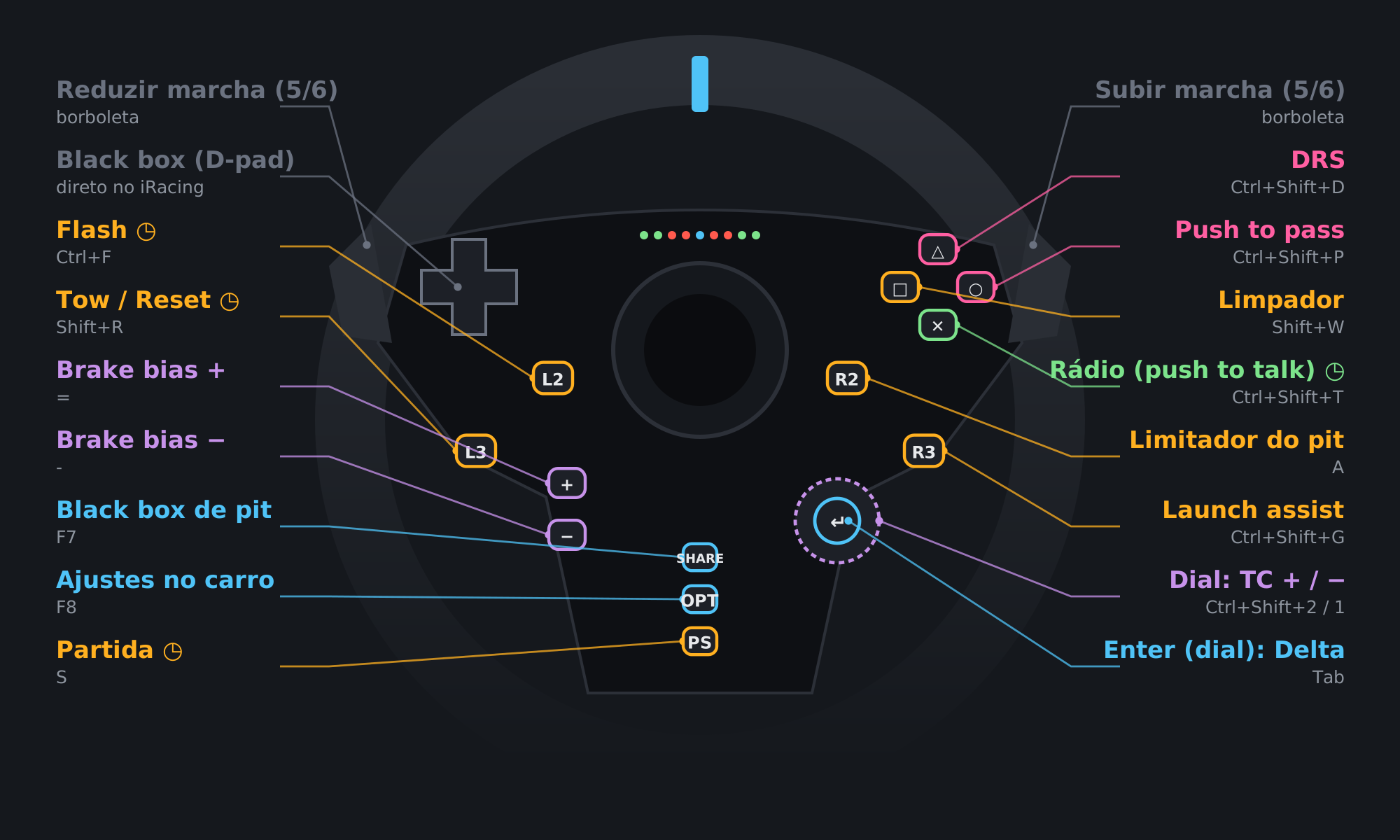
All 14 wheel buttons mapped for iRacing: flash, pit limiter, launch assist, DRS, push to pass, brake bias, TC on the dial, delta and radio.
Profile in testing
Built without the wheel in hand. Check the buttons before using it.
Built without the wheel in hand, from the button numbering of Logitech wheels (G29 and G920). It may need adjustments on your wheel.
Before using it:
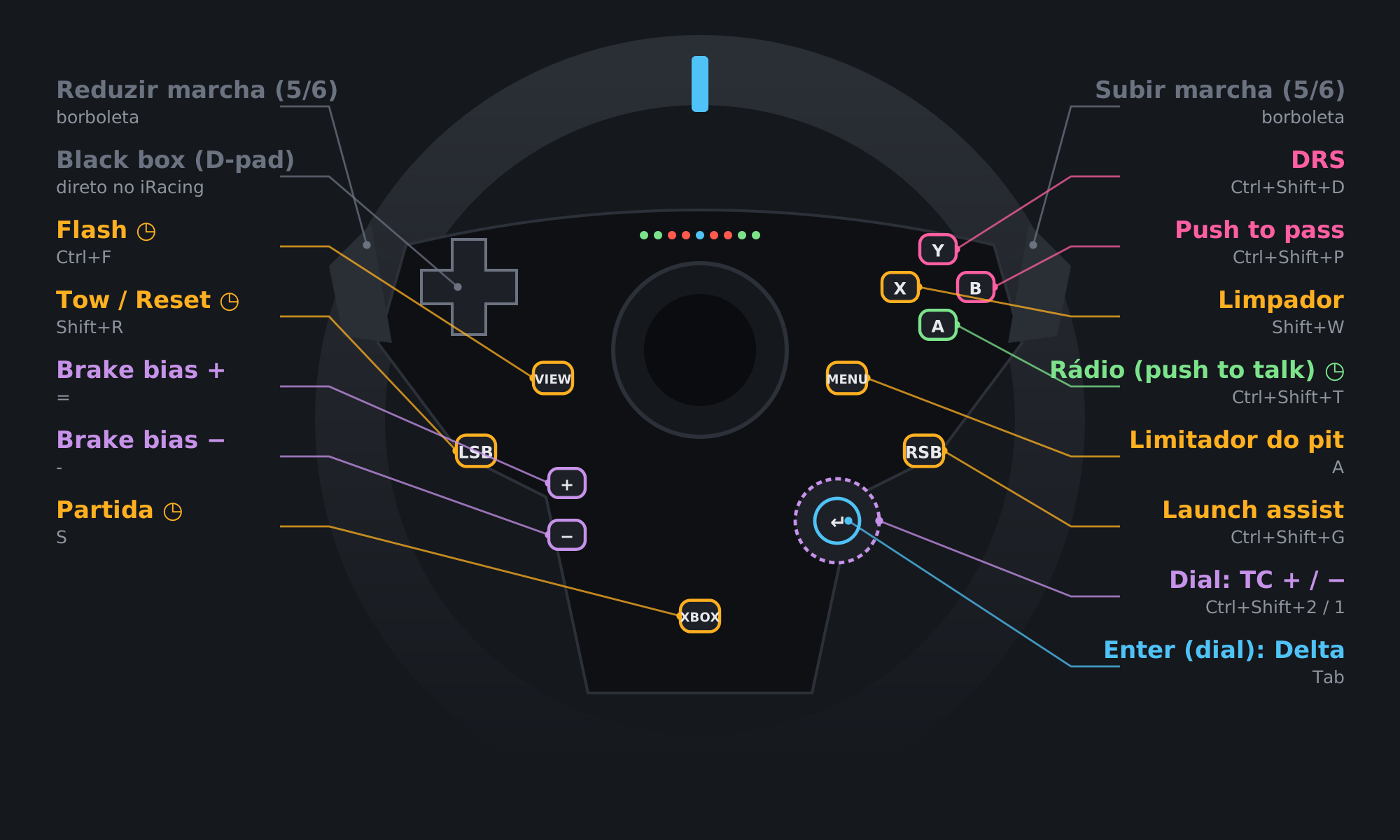
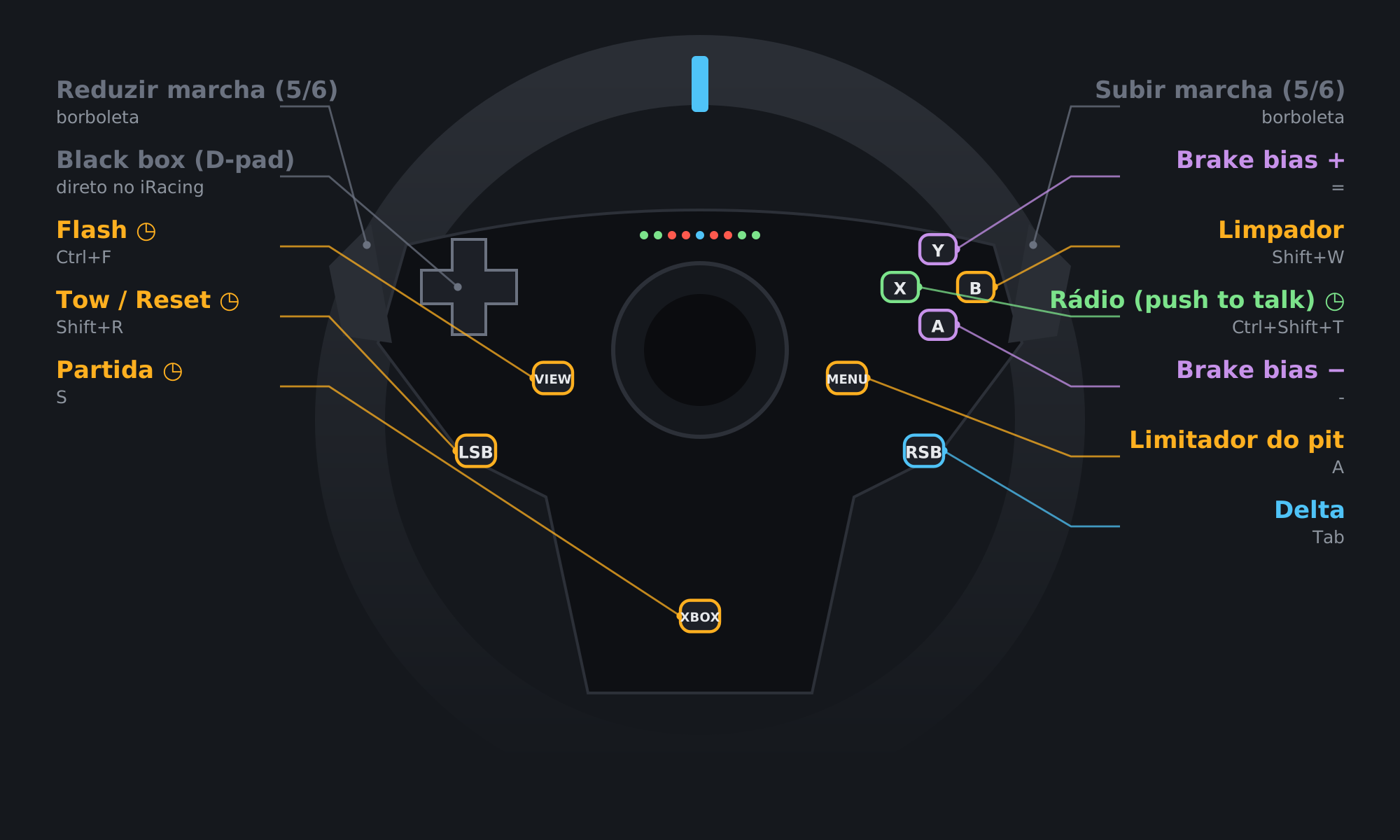
All 9 wheel buttons mapped for iRacing: flash, pit limiter, delta, brake bias, wipers, radio and starter.
Profile in testing
Built without the wheel in hand. Check the buttons before using it.
Built without the wheel in hand, from the button numbering of Logitech wheels (G29 and G920). It may need adjustments on your wheel.
Before using it:

9 ready-made screens with icons, shortcuts and folders: Formula, GT, Pit stop, Adjustments, Practice, Replay, Discord and OBS.

165 icons at 100×100, with and without text, for Stream Deck, AmpliGame D6 or any deck that takes custom images. Black background and one color per function.
The keyboard shortcuts used by the PadMap Moza profile and the D6 profile: TC, ABS, brake bias, ERS, DRS, push to pass, spotter, Active Reset, sectors, launch assist and black box switching.
Replaces your current controls. Back up first.
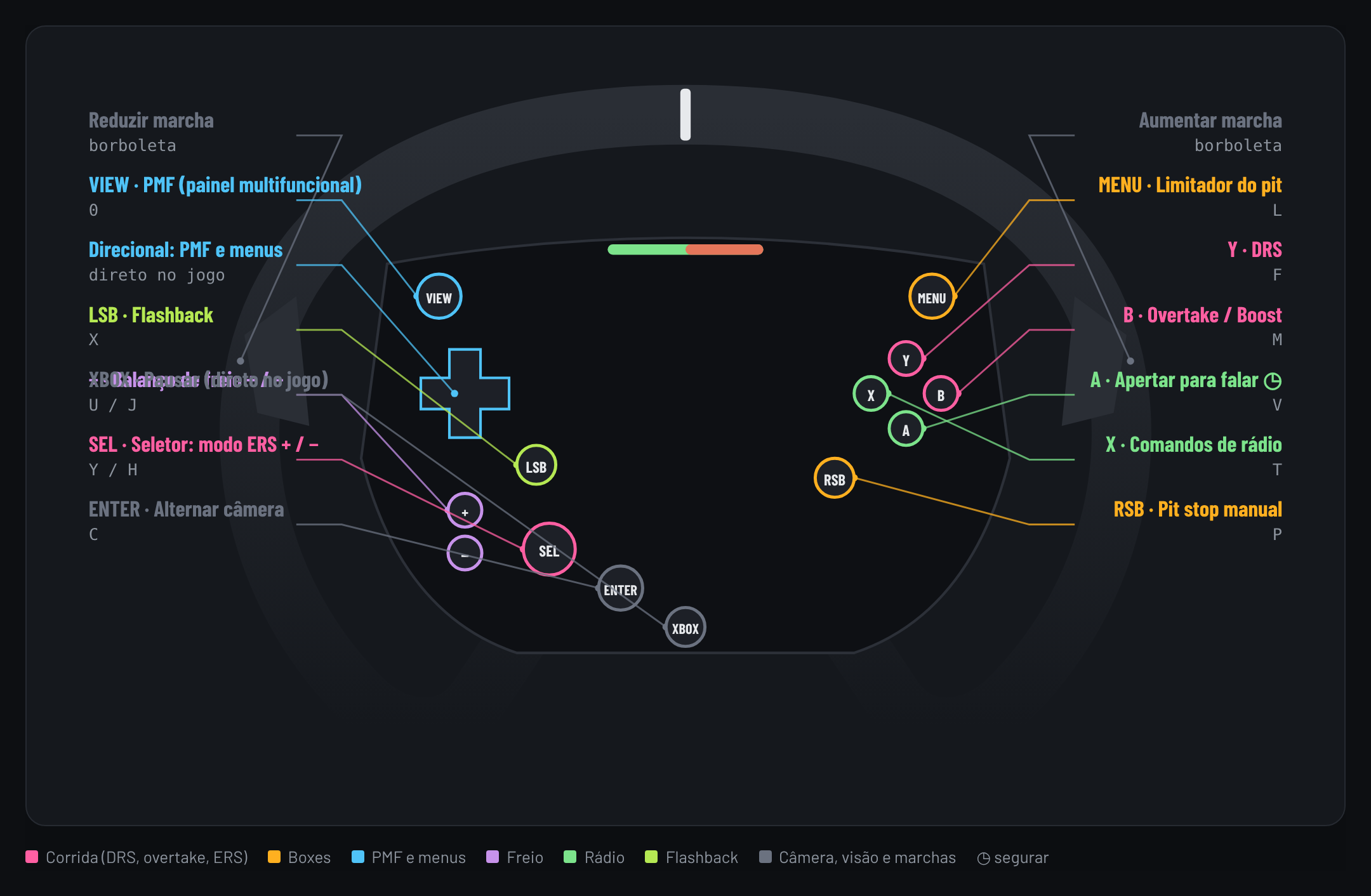
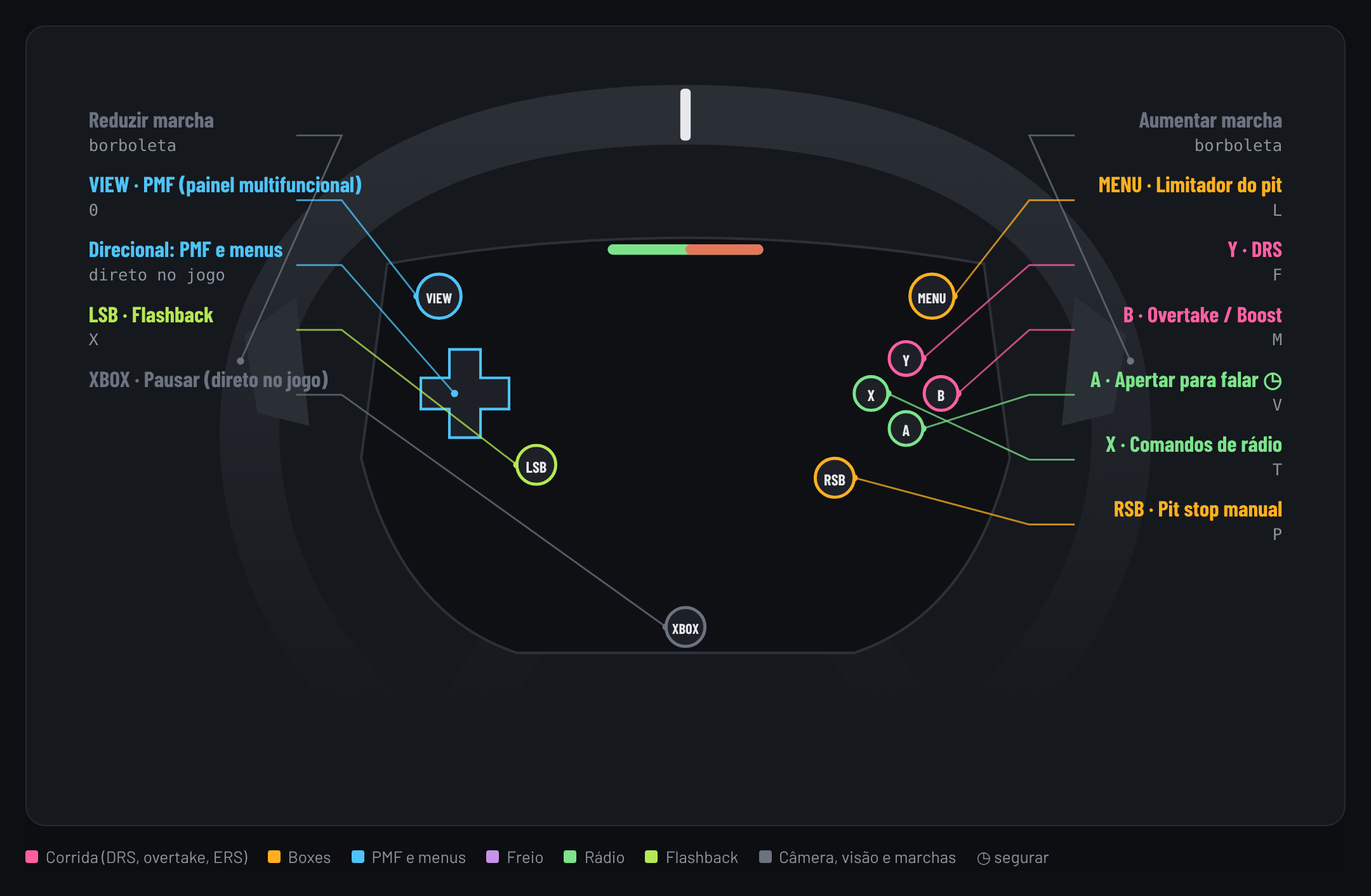
Wheel buttons mapped for F1 25: DRS, overtake, pit limiter, ERS mode, brake bias, MFD, radio and flashback.
Needs a few F1 25 key changes (see How to install).
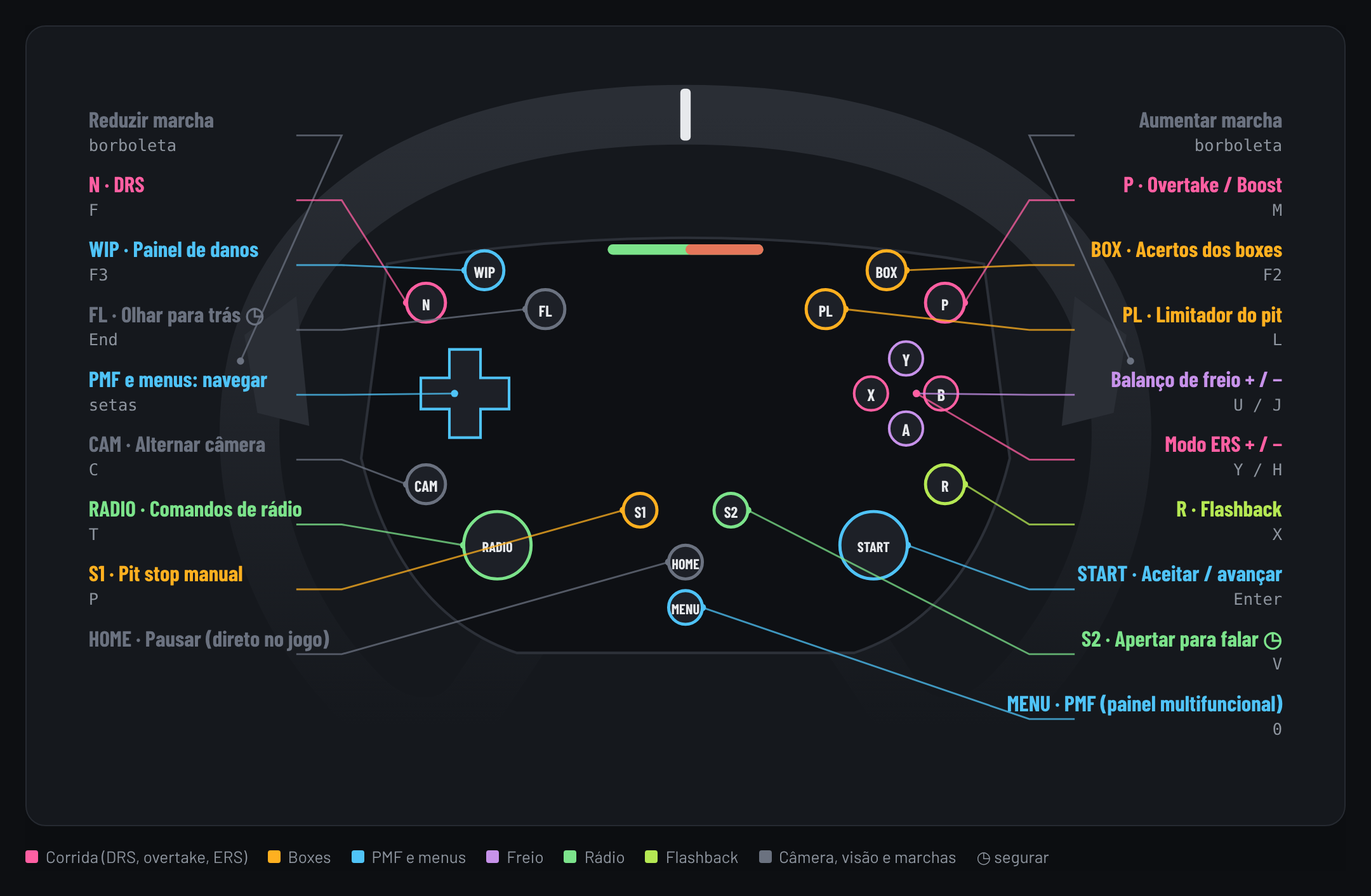
The 15 wheel buttons mapped for F1 25: DRS, overtake, pit limiter, ERS on the dial, brake bias on + and −, MFD, radio, flashback and pit stop.
Needs a few F1 25 key changes (see How to install).
Profile in testing
Not tested in the game yet. Check the buttons and keys before using it. Send my backup
The 15 wheel buttons mapped for F1 25: DRS, overtake, pit limiter, ERS on the dial, brake bias on + and −, MFD, radio, flashback and pit stop.
Needs a few F1 25 key changes (see How to install).
Profile in testing
Not tested in the game yet. Check the buttons and keys before using it. Send my backup
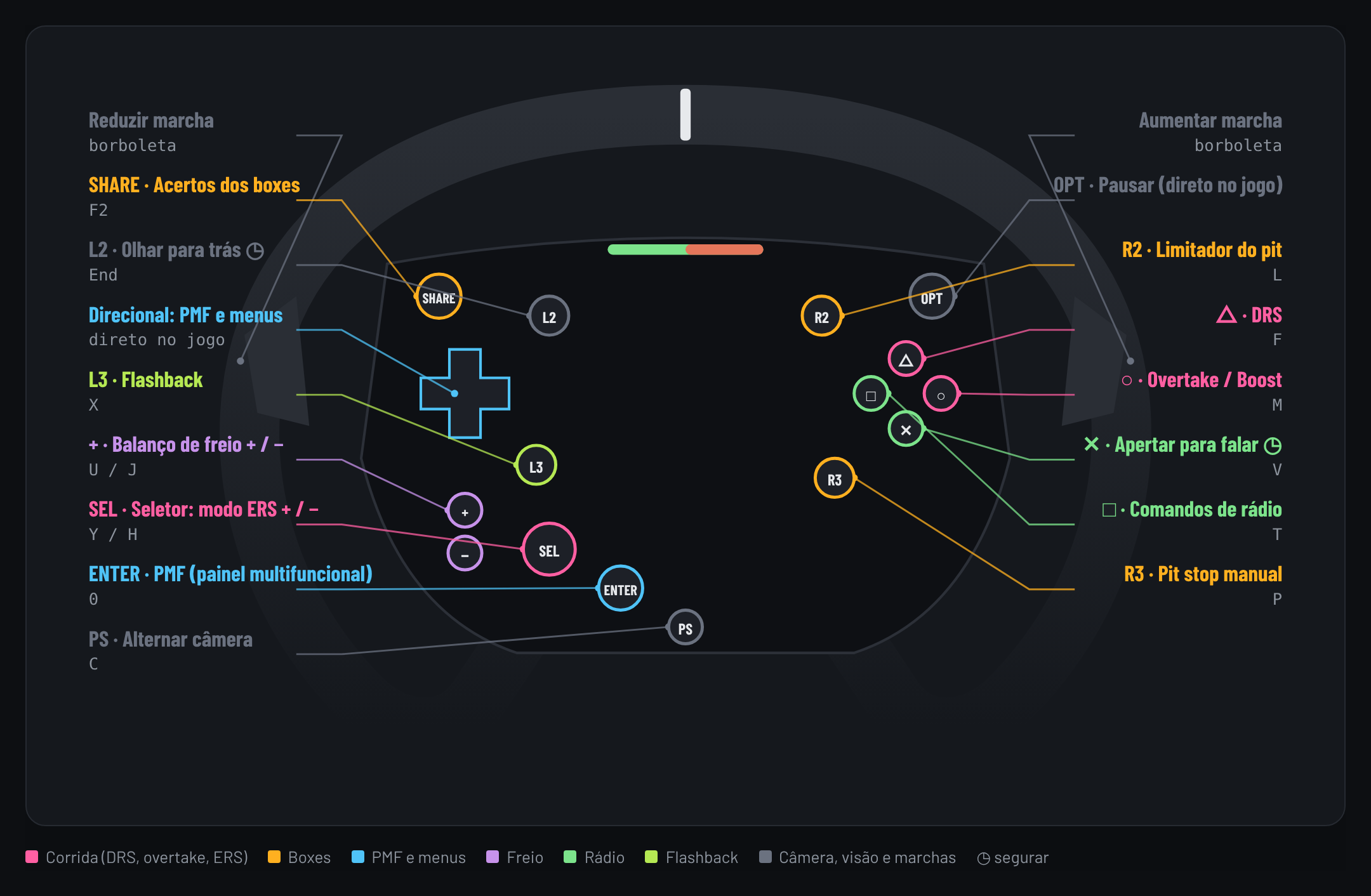
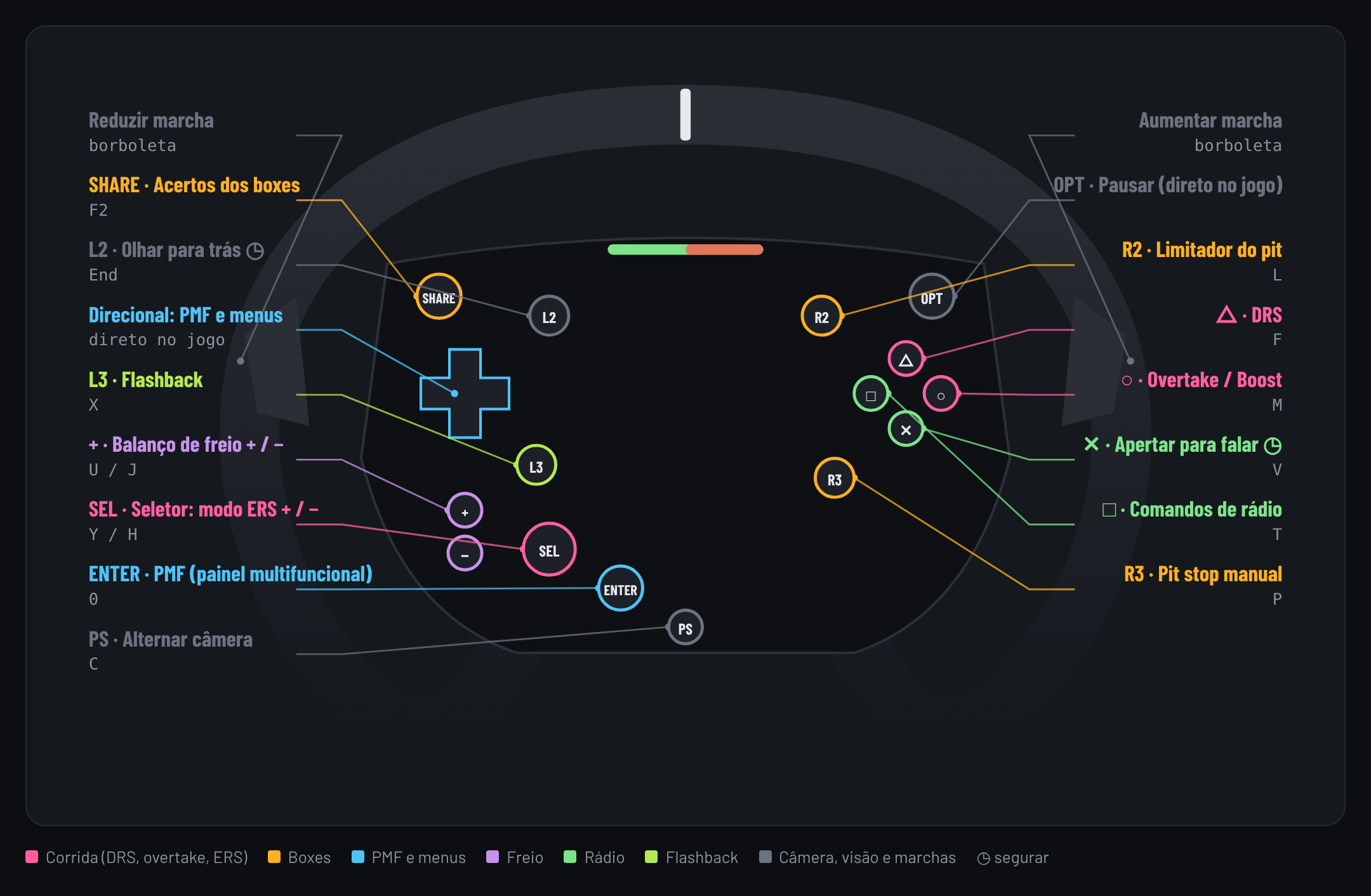
The 13 wheel buttons mapped for F1 25: DRS, overtake, pit limiter, ERS on the dial, brake bias on + and −, MFD, radio, camera, flashback and pit stop.
Needs a few F1 25 key changes (see How to install).
Profile in testing
Not tested in the game yet. Check the buttons and keys before using it. Send my backup
The 8 wheel buttons mapped for F1 25: DRS, overtake, pit limiter, MFD, radio, flashback and pit stop. ERS and brake bias go on the D6 or the MFD.
Needs a few F1 25 key changes (see How to install).
Profile in testing
Not tested in the game yet. Check the buttons and keys before using it. Send my backup

A separate profile from iRacing, with 2 screens: race (ERS, brake bias, diff, fuel mix, DRS, overtake, pit and flashback) and MFD (arrows, car panels, radio and camera).
Profile in testing
Not tested in the game yet. Check the buttons and keys before using it. Send my backup

The 30 icons from the F1 25 profile (ERS mode, overtake, fuel mix, MFD, pit plan and more), PNG 100×100, same style as the rest.
Profile in testing
Not tested in the game yet. Check the buttons and keys before using it. Send my backup